You probably think working from home is saving you a fortune. And honestly? It is saving you something. But probably not as much as you think.
Because here's the thing nobody talks about: remote work doesn't eliminate expenses. It just swaps them. Your commute money turns into internet upgrade money. Your lunch-out budget becomes a grocery bill that somehow doubled. And your "I just need a laptop" setup is now a desk, a chair, a ring light, and a monitor you bought at 2am after watching one too many "dream desk setup" videos.
So let's figure out where the money actually goes.
What You Save (The Good News)
Before we talk spending, let's talk savings. These are real dollars you're keeping by not going to an office:
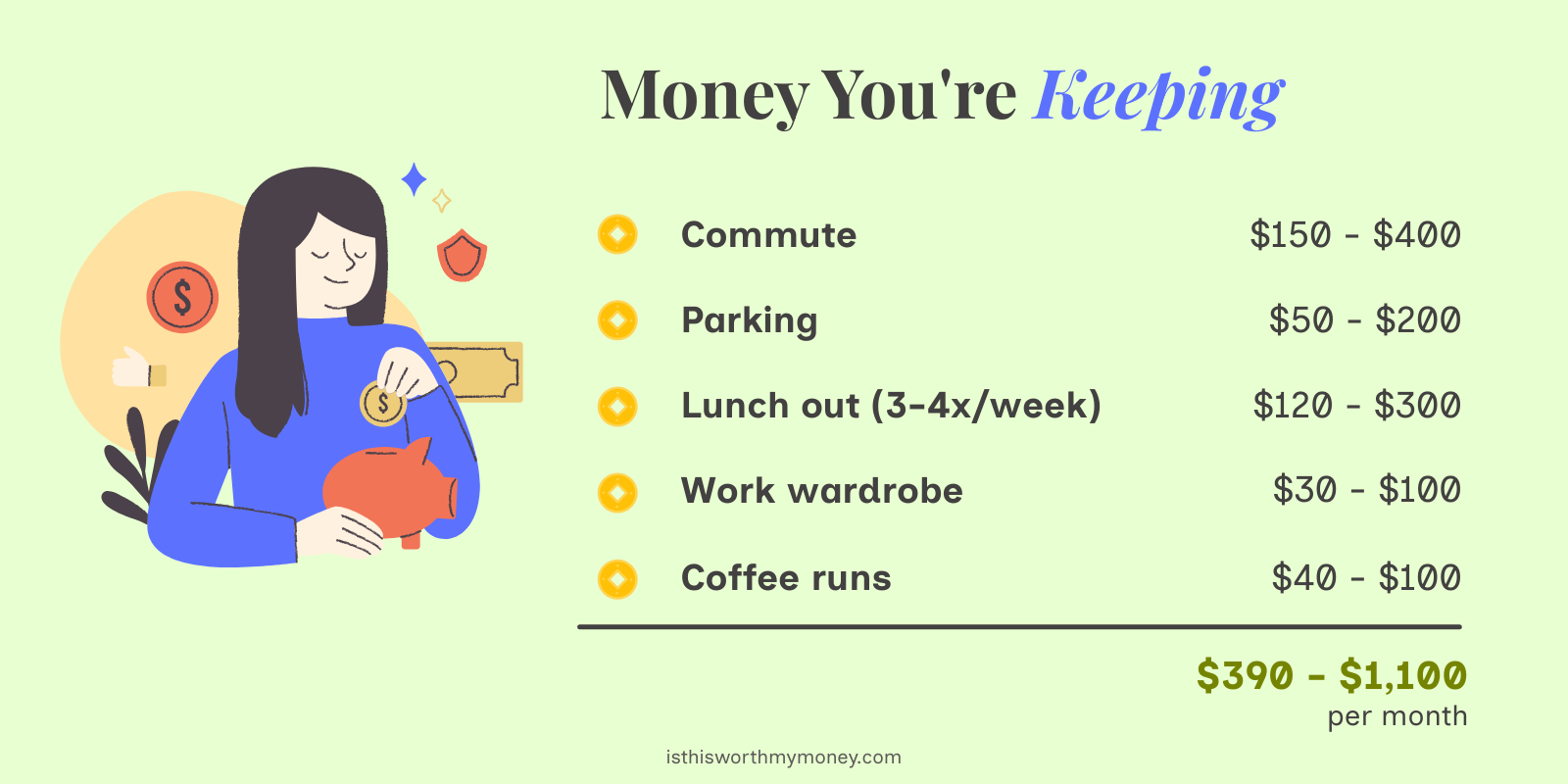
That's $4,700 to $13,200 a year you're not spending on showing up somewhere. Not bad.
But don't celebrate yet. Some of that money is going right back out the door.
What You Spend (The Real Talk)
The Home Office Setup (One-Time Costs)
You can get away with the bare minimum, but most remote workers eventually level up. Here's the range:
| Item | Budget | Mid-Range | Fancy |
|---|---|---|---|
| Desk | $80 | $250 | $600+ |
| Chair | $100 | $300 | $800+ |
| Monitor | $0 (laptop only) | $200 | $500+ |
| Keyboard + mouse | $30 | $80 | $200+ |
| Webcam | $0 (built-in) | $50 | $150 |
| Headset/mic | $25 | $75 | $250+ |
| Lighting | $0 | $30 | $100 |
| Setup total | $235 | $985 | $2,600+ |
You don't need everything on day one. Start cheap, upgrade what bothers you. The chair is usually the first thing worth spending on. Your back will send a thank-you note.
Monthly Costs That Creep Up
These are the recurring expenses that didn't exist (or were smaller) when you worked in an office:
| Expense | Monthly Cost |
|---|---|
| Internet upgrade (faster plan) | $20 - $50 extra |
| Electricity increase | $20 - $50 |
| Coffee & snacks at home | $30 - $60 |
| Software/tools (personal subscriptions) | $0 - $50 |
| Phone bill (if using personal) | $0 - $30 |
| Coworking space (occasional) | $0 - $200 |
| Extra groceries (lunch at home) | $80 - $200 |
| Total monthly WFH costs | $150 - $640 |
The groceries line catches people off guard. Yes, eating at home is cheaper than eating out. But you're eating every meal at home now, and that fridge empties fast.
The Hidden Costs Nobody Budgets For
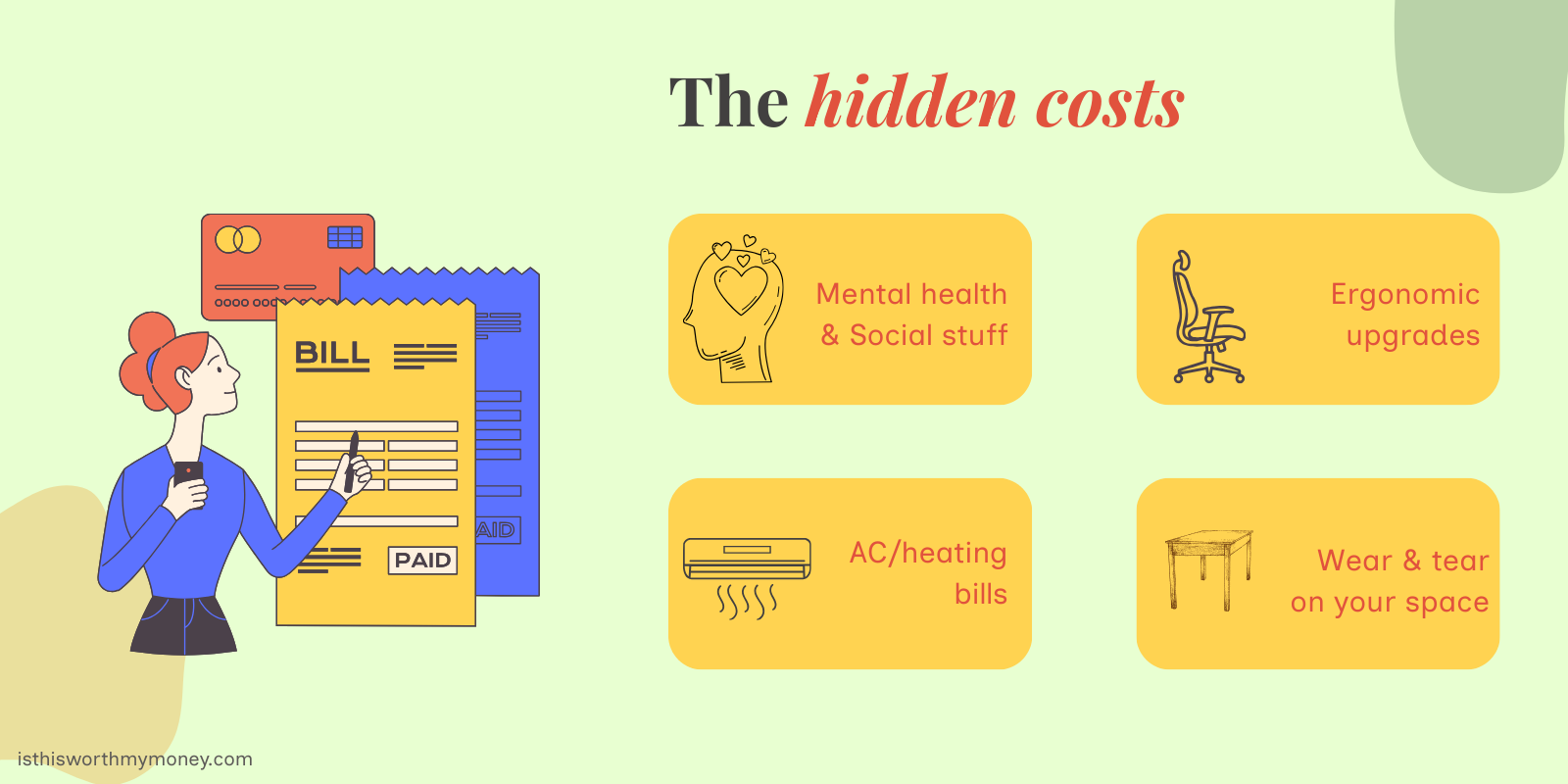
- Mental health & social stuff. Working alone gets old. A lot of remote workers spend money on coworking days, gym memberships, or "third place" coffee shop visits just to see other humans. Budget $50 - $150/month if loneliness hits.
- Ergonomic upgrades over time. That cheap chair you started with? Give it 6 months. You'll be shopping for a better one when your lower back starts talking. Same with monitor stands, footrests, and wrist rests. Expect to spend $200 - $500 in year one on "wait, I actually need this."
- Higher AC/heating bills. If you used to leave the house all day, your thermostat didn't run as hard. Now you're home 8-10 hours in a climate-controlled room. This varies wildly by location, but $20 - $80/month extra is common.
- Wear and tear on your space. Your home office chair is rolling over your floor every day. Your desk is scratching up. Your outlet is powering three extra devices. Small stuff, but it adds up over the years.
Net Monthly Savings: The Real Math
Here's the part everyone skips. Let's do the actual subtraction.
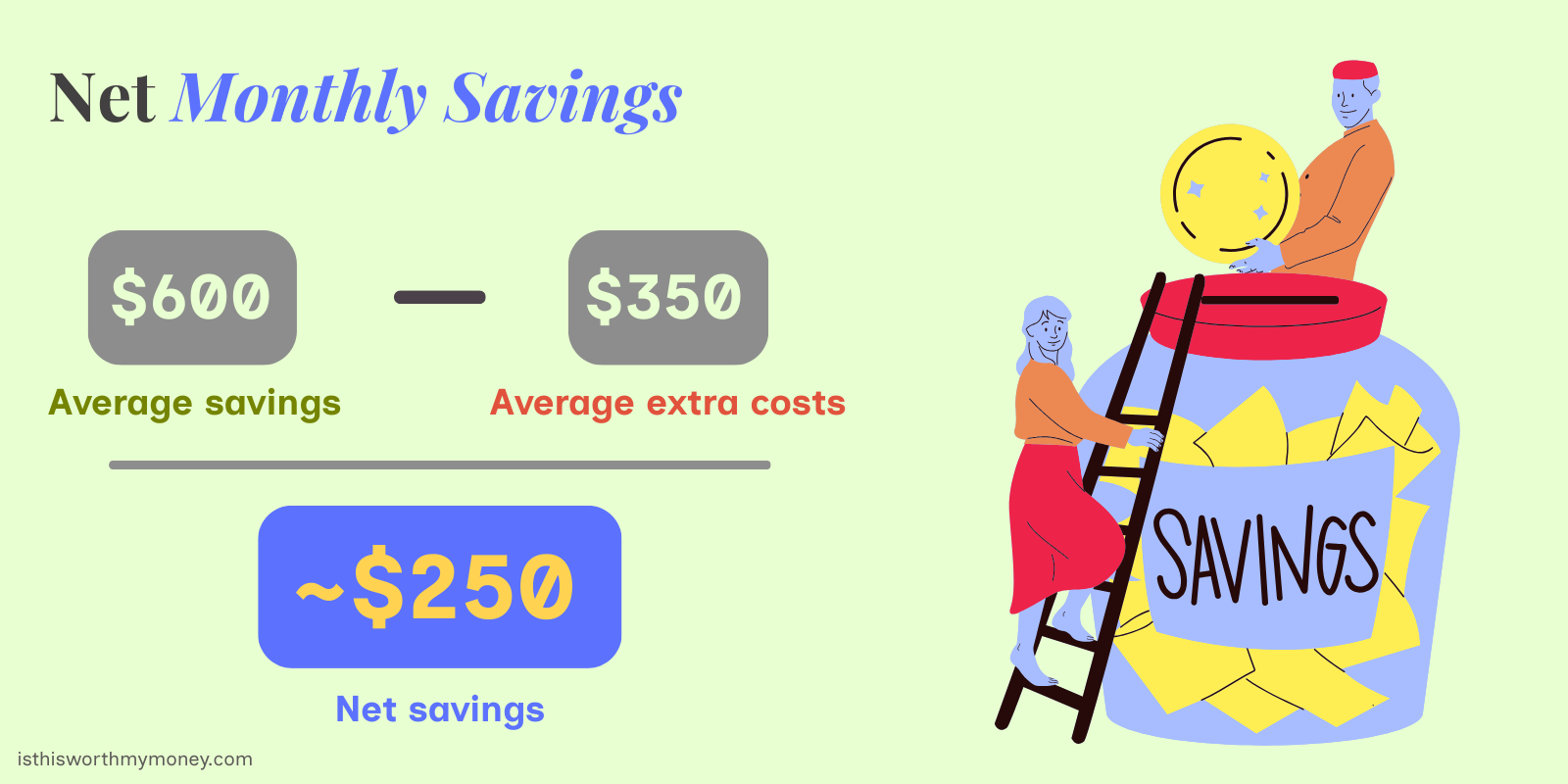
That's about $3,000/year. Real money, but probably less than you thought.
Some people save more (especially if they had a long, expensive commute). Some actually break even because they upgraded everything and discovered DoorDash.
A Simple Remote Work Budget Template
Here's a quick framework to plan your own numbers:
Step 1: Calculate what you were spending on office life
- Commute (gas, transit, parking)
- Eating out at/near work
- Work clothes & dry cleaning
- That random stuff (vending machines, happy hours, etc.)
Step 2: Add up your new WFH costs
- Internet and electricity increase
- Home office groceries and coffee
- Any tools or subscriptions you're paying for yourself
- Coworking or social spending
Step 3: Subtract
- If the number is positive, you're saving money
- If it's negative, you might want to rethink some spending
- If it's close to zero, you're basically trading commute stress for comfort (still a win, honestly)
Quick Tips to Maximize Your Remote Work Savings
- Claim the home office tax deduction. If you're self-employed or freelance, you can deduct a portion of your rent, utilities, and internet. The simplified method gives you $5 per square foot, up to 300 sq ft ($1,500 deduction). Talk to a tax person about this.
- Don't upgrade everything at once. Use what you have for the first month. You'll quickly learn what actually bugs you vs. what looked cool on someone's YouTube setup tour.
- Buy used office furniture. Companies go out of business constantly. Their $800 Herman Miller chairs end up on Facebook Marketplace for $200. Check there before buying new.
- Set a snack budget. Sounds silly. Works though. The kitchen is 10 steps away now, and "just a quick snack" adds up to $100+/month if you're not paying attention.
- Track your electricity before and after. Compare your power bill from when you went into an office vs. now. That actual number is way more useful than any estimate.
Is Remote Work Worth Your Money?
For most people, yes. Even if the net savings are modest, you're getting back time (no commute), comfort (pants optional), and flexibility. Those have real value, even if they don't show up on a spreadsheet.
The key is just knowing where your money is actually going, so the savings don't silently disappear into "stuff."
Want to calculate your personal remote work savings? Try our Is This Worth My Money calculator and see exactly how your WFH budget stacks up.